01Editorial
Cream paper, Didot numerals, a hairline rule under the masthead.
97 designer faces · iPhone & iPad
Dive bezels, split-flap cards, phosphor terminals, cream editorial pages. Drawn one at a time — with live seconds everywhere iOS allows them.
Every preview on this page is live. They are reading your device clock right now — nothing here is a screenshot.
The collection
Scroll. The phone changes with you.
Cream paper, Didot numerals, a hairline rule under the masthead.
Rotating bezel, lumed indices, a seconds hand with a proper counterweight.
Split-flap cards that fall through the minute, hinge shadow and all.
Amber LEDs on a dark grid — the unlit dots are the whole trick.
IT IS TWENTY PAST NINE. Read it, don’t decode it.
Hot core, saturated halo, wide dim spill on the wall behind.
Four surfaces
Home Screen, Lock Screen, StandBy and fullscreen each behave differently on iOS. Every design ships for all four.
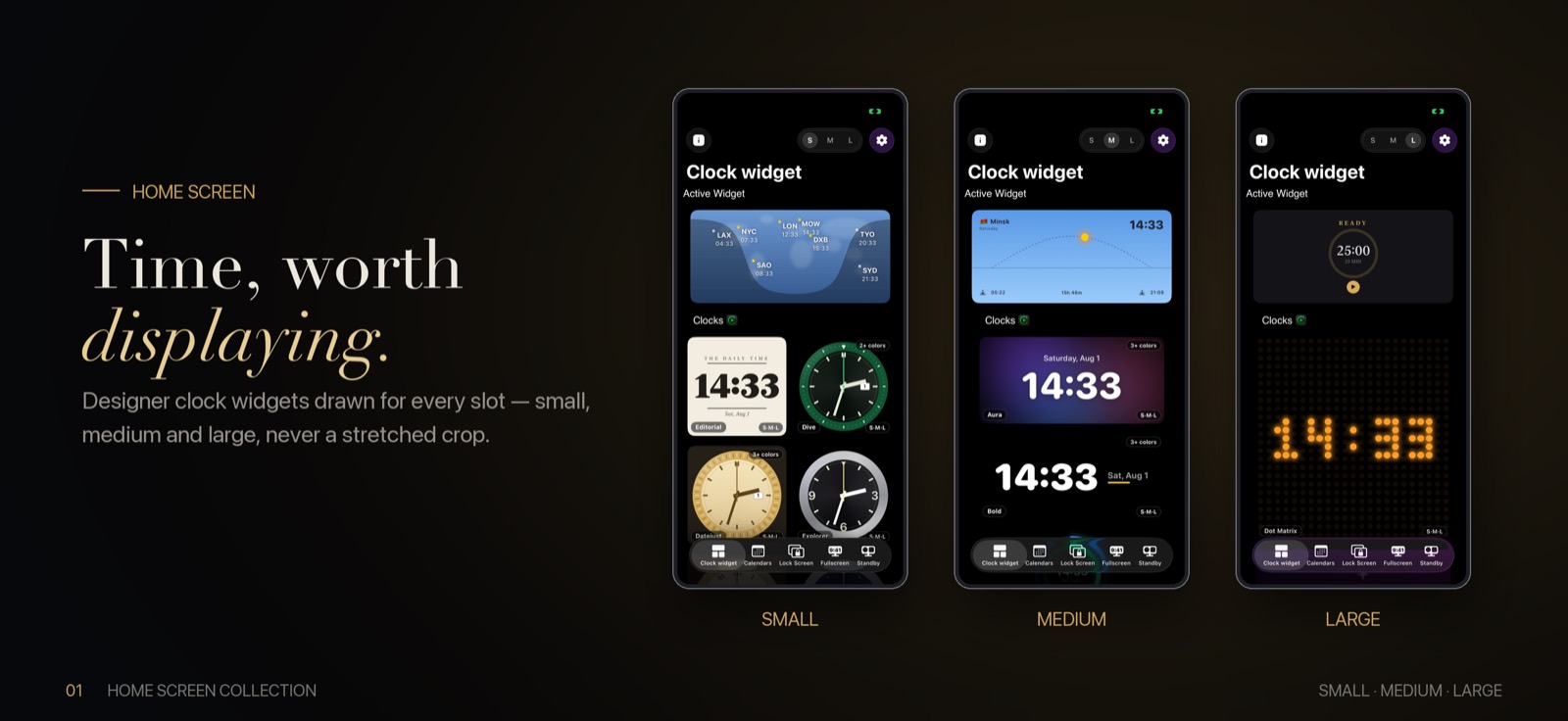
Home Screen
Every face is composed separately for each slot. Seconds appear where there is room and step aside where there isn’t.
Browse the collection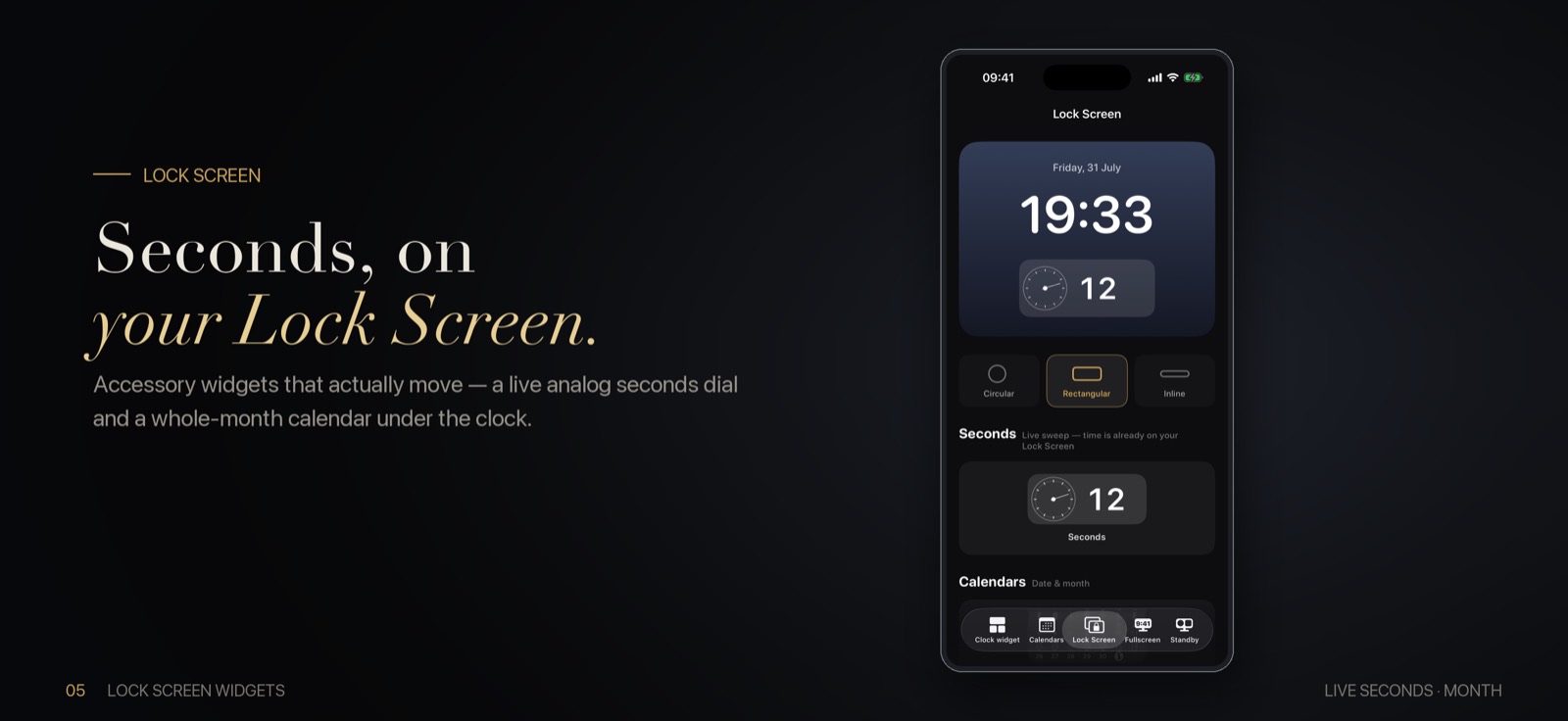
Lock Screen
Inline, circular and rectangular slots, each with its own layout — and a live per-second tick that the Home Screen cannot give you.
Lock Screen widgets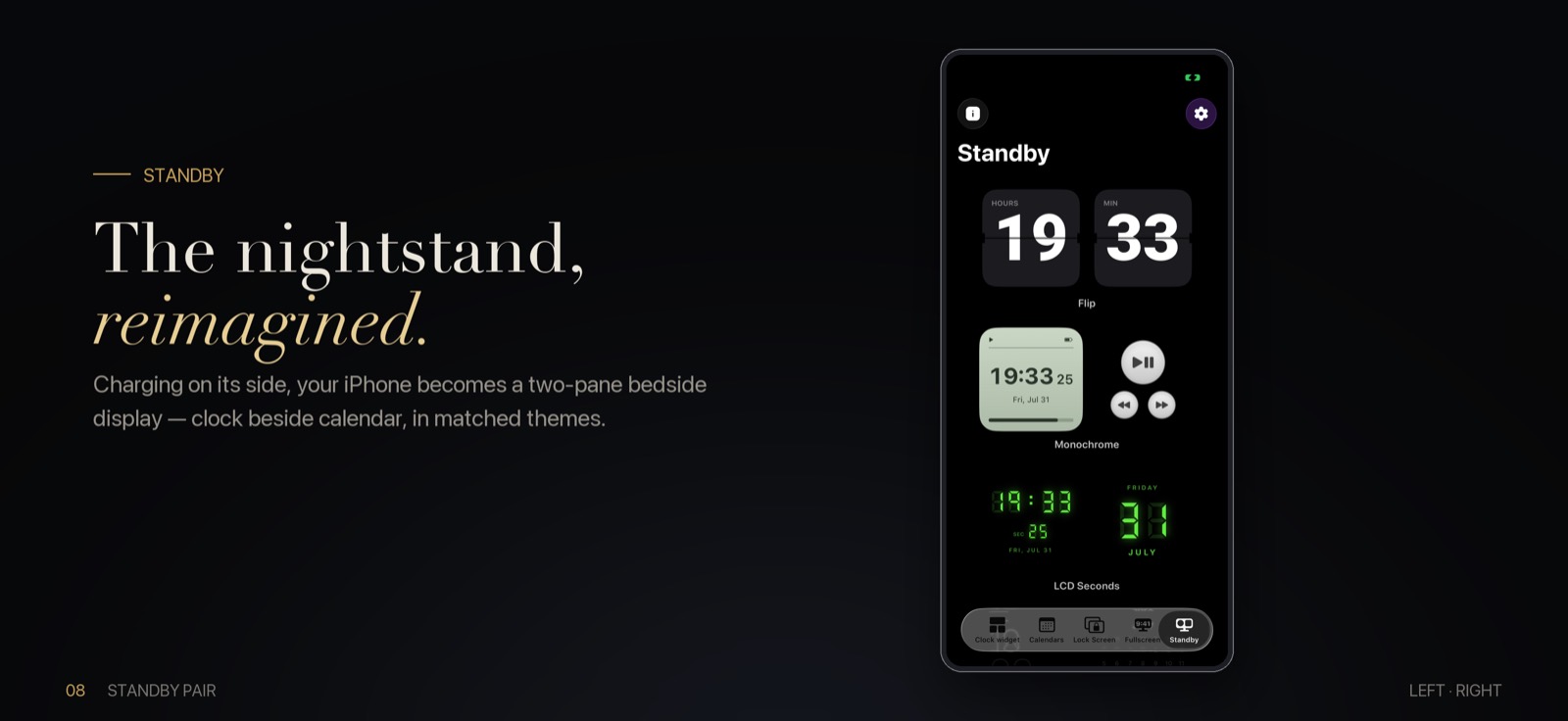
StandBy
On charge, on its side, dimmed to red after dark. iOS hands you a full-screen surface and almost nobody uses it well.
Set up StandBy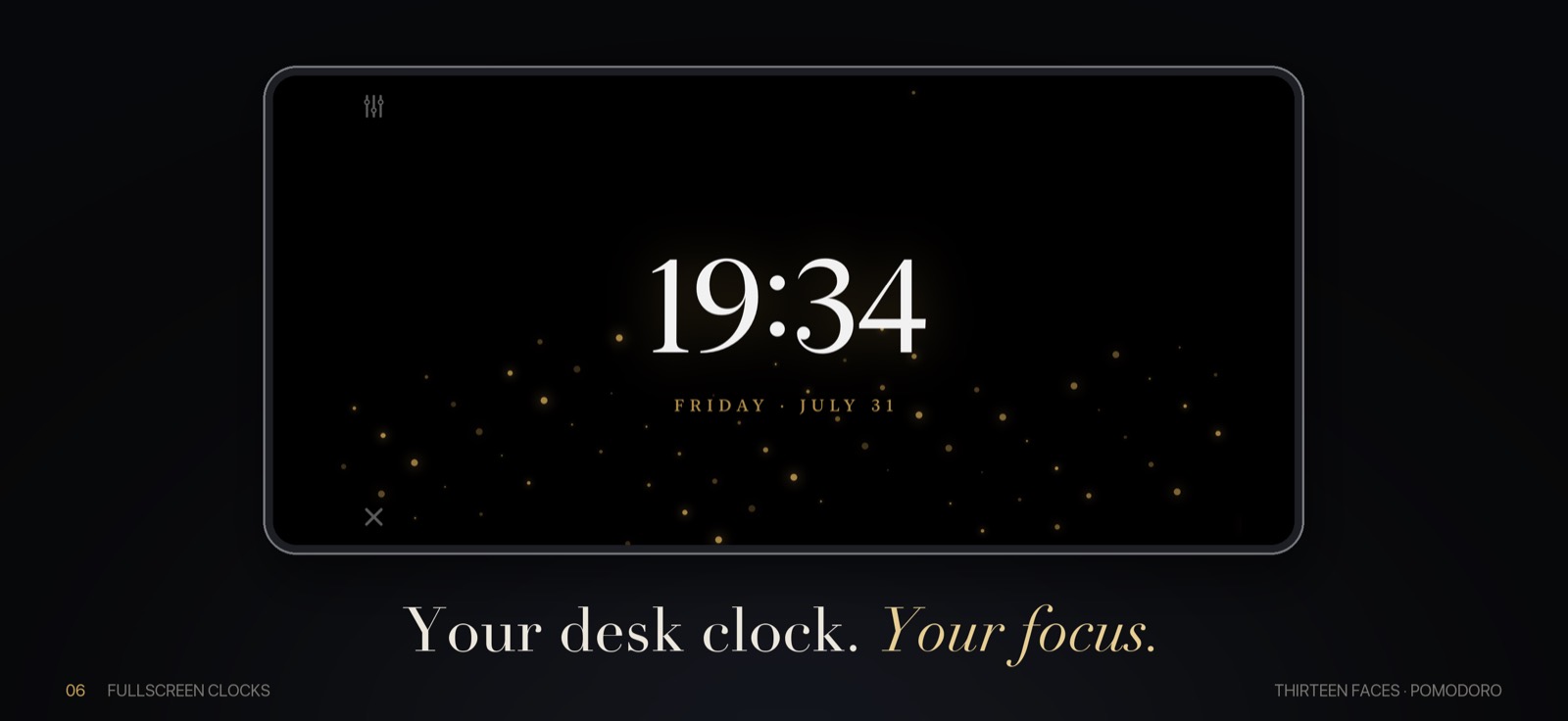
Fullscreen
Thirteen faces that fill the screen, keep it awake, dim at night — and switch into a 25/5 Pomodoro without leaving the view.
Fullscreen modeWorld time
Set any widget to any city — search by city or country, or type a raw offset when your zone isn’t listed. Daylight saving is handled for you, because widgets store a zone rather than a number.
In the wild
Every design starts with something that actually existed. Here are three of them, next to what they became.
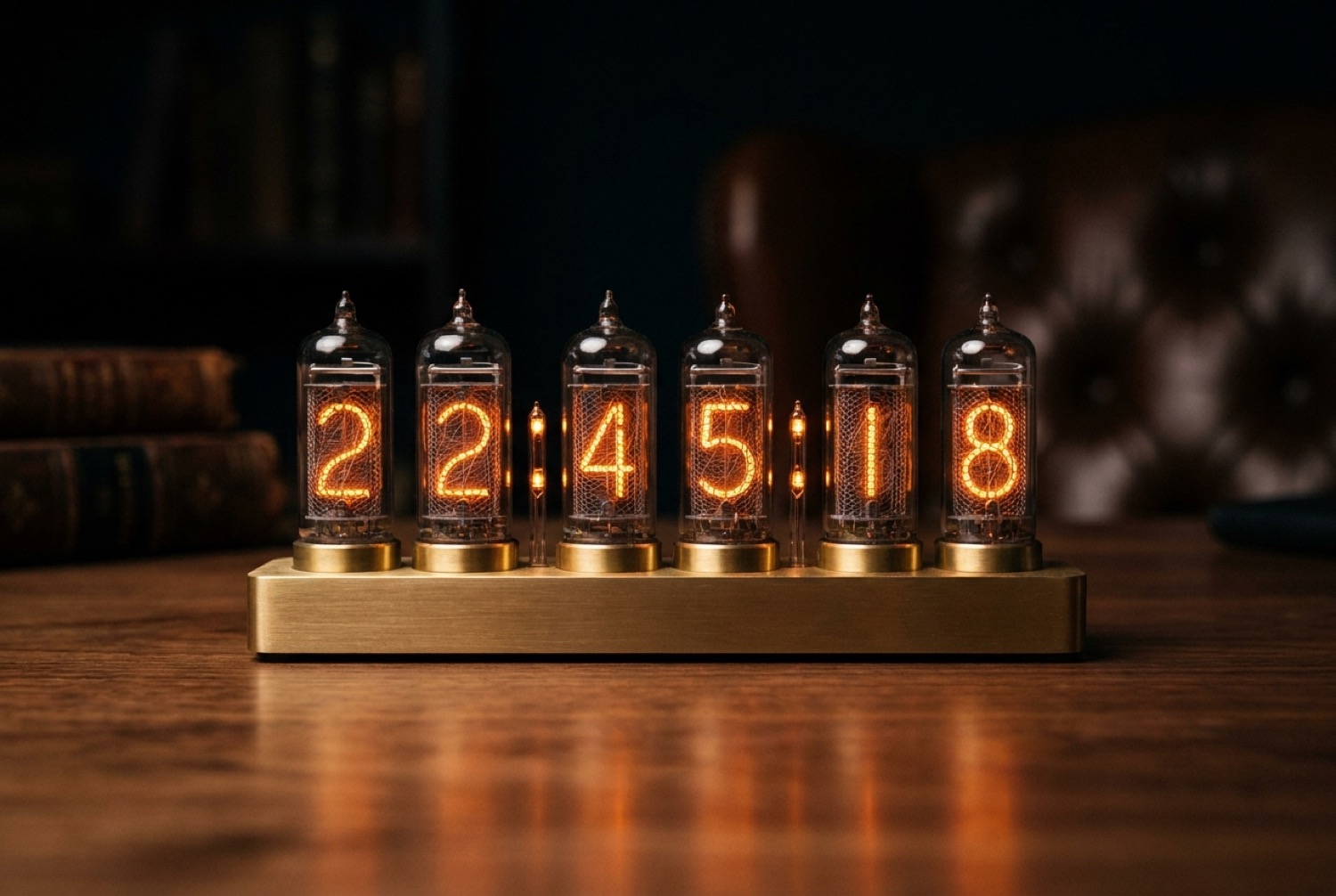
Nixie
A real nixie lights one numeral and leaves the other nine sitting behind it in wire. That shadow stack is the whole look — so ours draws it too.
Nixie clock widget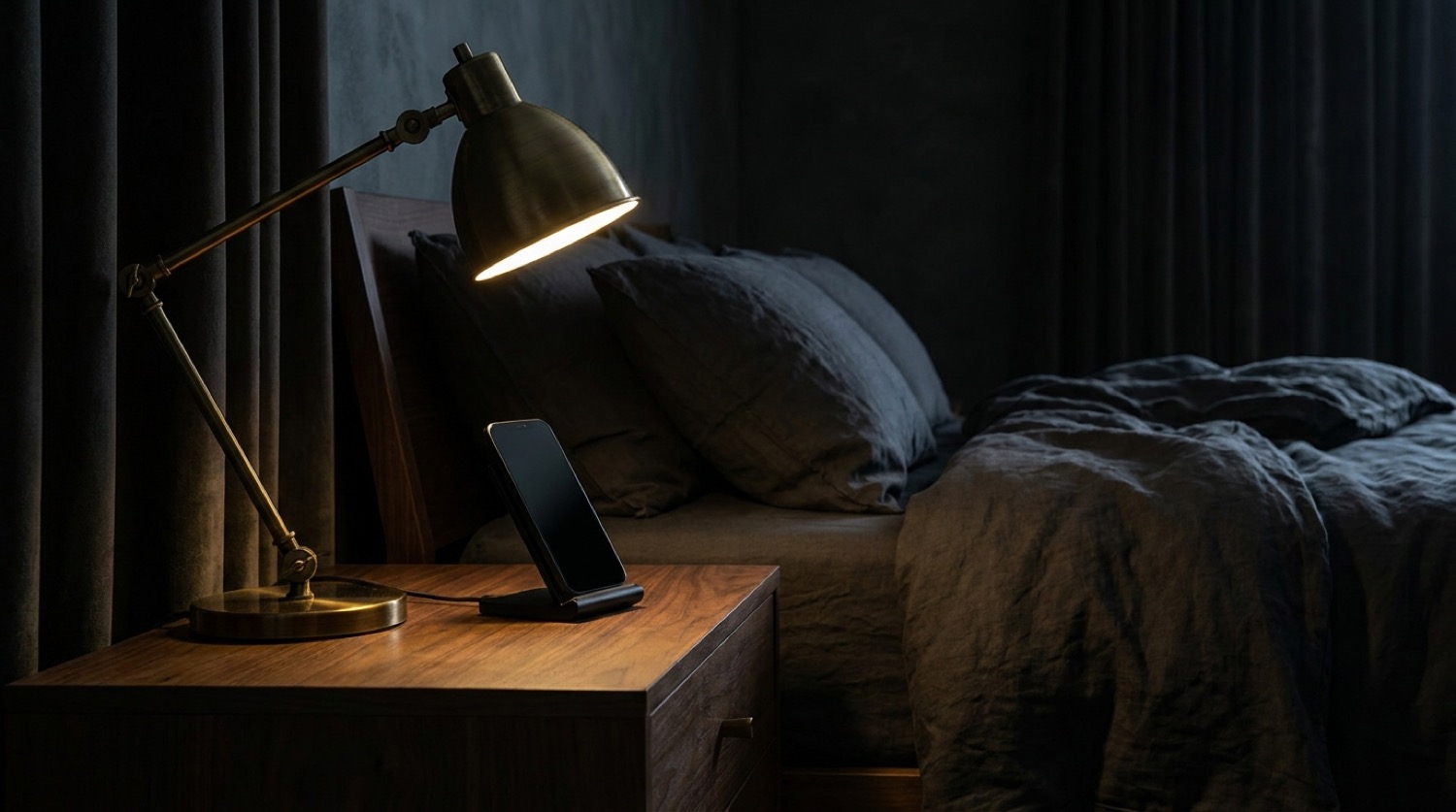
Nightstand
On charge, on its side, dimmed to red after dark — iOS hands you a full-screen surface and almost nobody uses it well.
StandBy night clock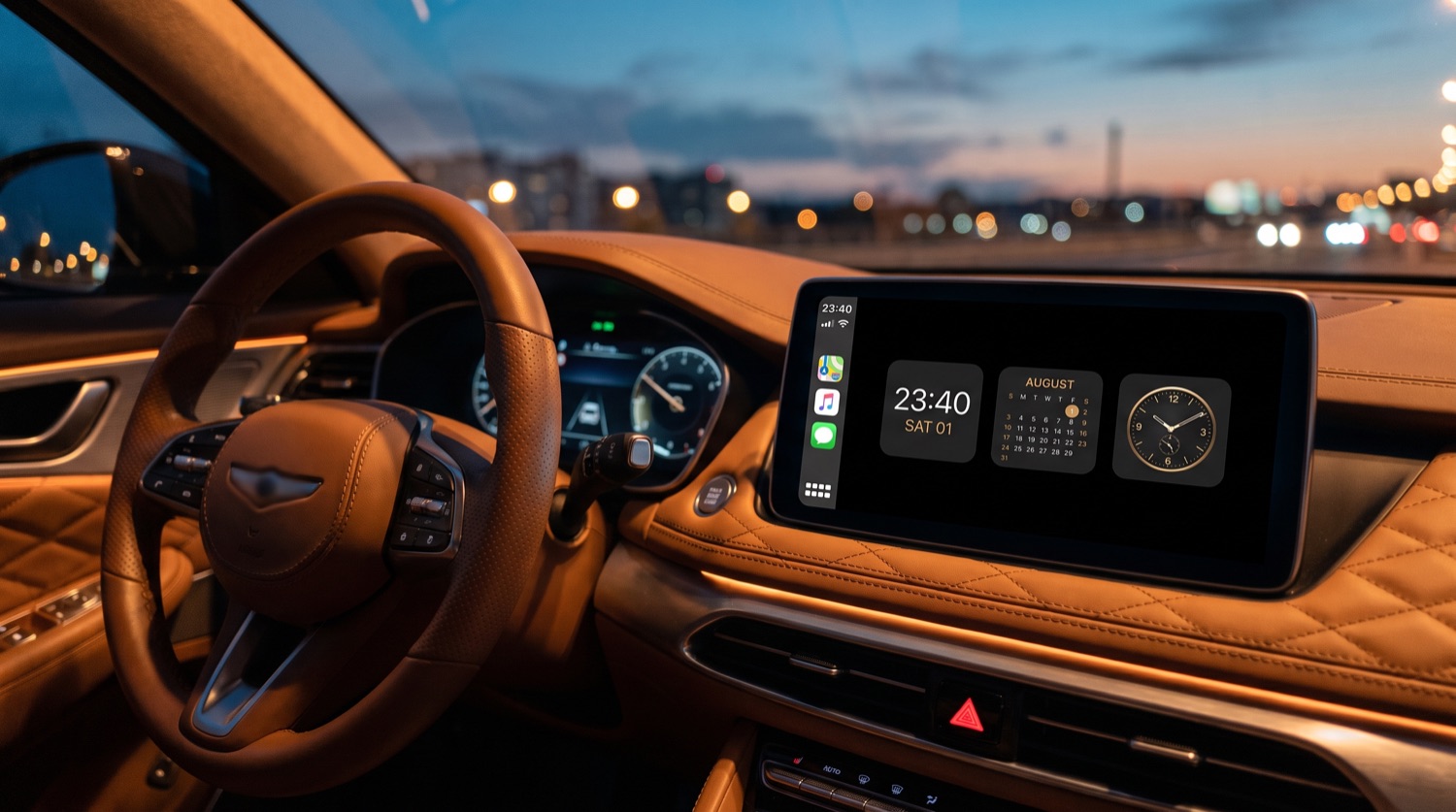
CarPlay
Dashboard slots are square, and only square. Three tiles from one family — clock, calendar, dial — with a brass accent and a night palette that doesn’t blind you.
CarPlay clock“The only clock widget I’ve kept past a week. The dive dial is better than the one on my actual watch app.”
“I run Lisbon, London and Singapore on the Lock Screen and I have not miscounted a meeting since.”
“Bought it for the flip clock. Stayed for the fullscreen mode — my old iPhone 12 is a desk clock now.”
Questions
Yes. The app is free to download and a large part of the collection is free to use. A one-time or subscription upgrade unlocks the full set of designs, custom backgrounds and the fullscreen clock — there is no account and no ads either way.
On the Lock Screen, in StandBy and in the app’s fullscreen clock, yes — those surfaces get a per-second refresh. Home Screen widgets are refreshed by iOS on a budget, so there the seconds advance in steps while hours and minutes stay exact.
Yes, it is a universal app — same purchase, same designs. On iPad the widgets sit on the Home Screen and in Today View, and the fullscreen desk clock is genuinely useful propped in a kitchen or a studio.
Neither is required. Time zones are picked from a city list, and the calendar widgets show dates rather than events, so they never ask to read your calendar.
iOS 17 or later. That is also where StandBy lives, so every surface on this site is available to you from the start.
Free on the App Store. iOS 17+. No account, no ads, no tracking.